Cast the two roles
Add one clear portrait per performer, or one balanced photo together. Similar framing and clean light help both faces stay recognizable.
 AI Rap DuoCreate a Duo
Add one photo for each performer and one detail only you two know. Get a short AI music video with original audio—ready to preview, download and share in portrait or landscape.
Watch real generated examplesOriginal generated audio · Portrait or landscape download · Confirmed failed jobs return credits
An AI rap duo video uses your photos as the two performer references, then generates a shared set, movement and original audio around them. The AI video workflow happens in one place, and the result is a new clip—not a face swap on an existing artist’s recording.
The strongest results begin with a pairing viewers understand immediately and one specific story: an anniversary detail, a birthday habit or the inside joke your group chat never lets go.
You receive a short video with generated vocals and lip-sync. Identity, timing and motion can vary by photo and model, so watch the preview before you download or post it.
See the photo checklist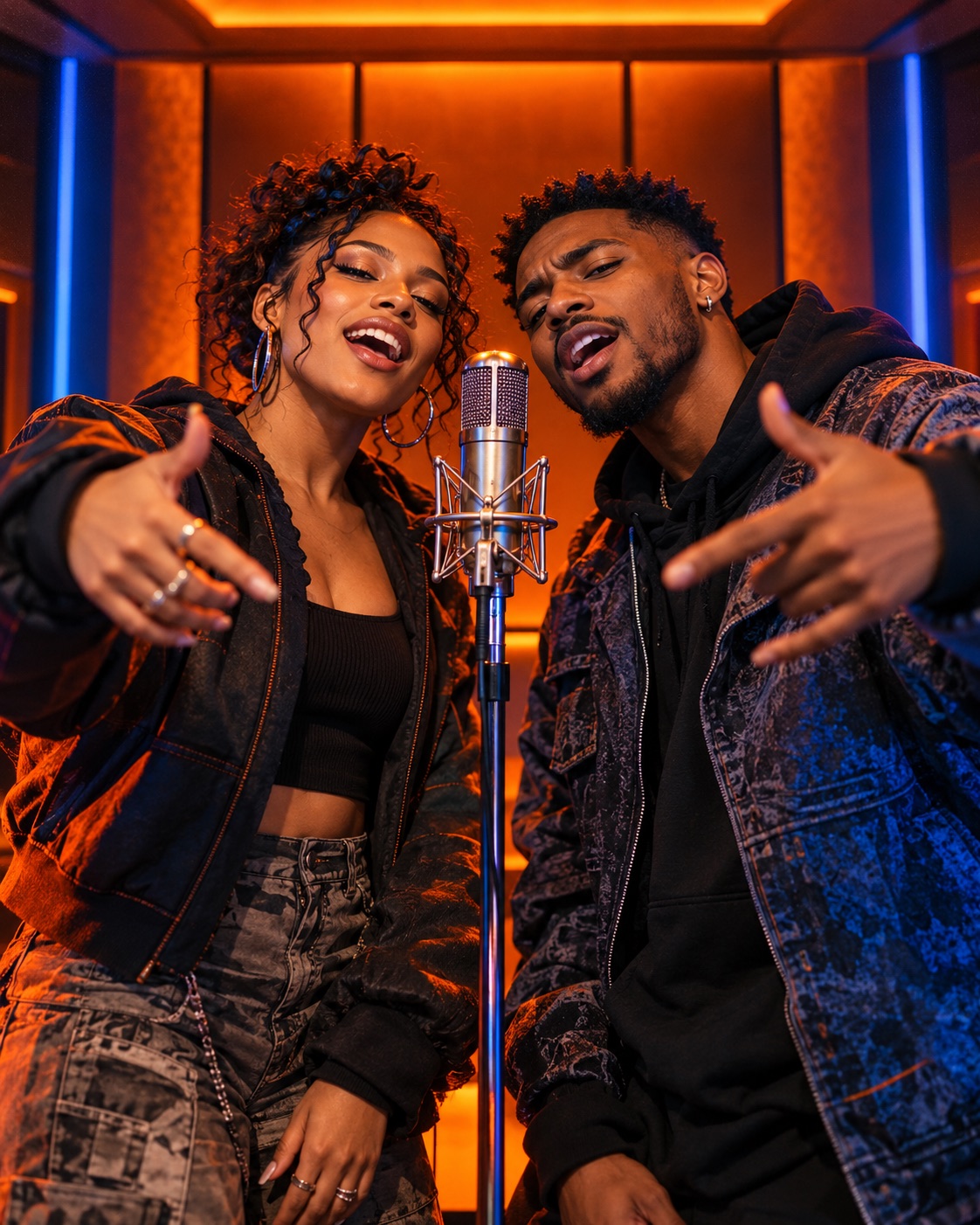
This one-page AI video workflow stays intentionally narrow: cast the pair, give them a reason to perform, then review the generated take.
Add one clear portrait per performer, or one balanced photo together. Similar framing and clean light help both faces stay recognizable.
Choose the visual world, then add one concrete hook: a name, the occasion and a detail only this pair would know.
Watch the faces, handoff and mouth timing. When the result feels right, download the clip for your feed or group chat.
Specific beats generic. Start with a name, an occasion and one memorable detail; keep roasts playful and consensual.
“Nina and Jo reunite after five years and still argue over the aux.” Two separate selfies are enough.
Name the year and one lovable habit: “Ten years together, and Sam still burns breakfast.”
Give the room an instant opener: “Maya turns 30 and still tells everyone she is 24.”
Keep the roast friendly and specific: “Design versus engineering on launch day—who saved the release?”
A Standard 12-second 720p video costs 9 credits, while Studio uses Seedance 2.5 for 37 credits.
100 credits · ≈ 11 Standard videos
300 credits · ≈ 33 Standard videos
800 credits · ≈ 88 Standard videos
Start with one clip or keep credits for future birthdays, anniversaries and collaborations. One-time credits do not expire.
10 credits · 1 Standard video
350 credits · ≈ 38 Standard videos
900 credits · 100 Standard videos
3,000 credits · ≈ 333 Standard videos
Cost shown before generation · One-time credits do not expire · Subscriptions can be canceled
Every option uses a Seedance model with generated audio. The interface confirms the exact duration, resolution and credit cost before submission.
Keeping two characters consistent in an AI video asks more of the source images than animating a single portrait. These checks reduce avoidable identity drift before you spend credits on a take.
Use the two-photo mode for separate portraits. Avoid group shots where the model has to guess who matters.
Front-facing or slight three-quarter portraits give the model more facial detail than a strong side profile.
Choose a photo where the eyes, mouth and jawline are visible without harsh shadows or blown highlights.
Sunglasses, hands over the face, beauty filters and motion blur make identity drift more likely.
A full-size photo usually gives a better reference than a compressed screenshot or tiny social thumbnail.
Only animate adults who agreed to take part, and review the finished clip before sharing it publicly.
Capabilities, limitations, cost and consent—without hiding the details in marketing copy.
It creates a short video in which two people from your photos appear in one generated rap performance. The selected model produces the scene, movement and original audio as one clip.
No. Use one portrait for each performer, even if the photos were taken years or miles apart. If you already have a clear photo together, switch to the one-photo mode.
Start with well-lit, front-facing photos at a similar crop. Use one visible adult face per upload and avoid sunglasses, face coverings, heavy filters, motion blur and extreme angles. AI results can still vary, so preview the clip before sharing.
Yes. Add a short topic with a name, occasion and one memorable detail. “Maya turns 30 and still steals the aux cord” gives the generator more direction than “make it funny.”
The scene is directed as a two-person exchange. Exact voice separation, timing and lip-sync can vary by model and source photo, so review the generated performance before you post it.
Not in the current quick creator. It generates original performance audio from your topic. Custom song, vocal and full-lyrics uploads are not available in this workflow.
Videos are 12 seconds at 720p: choose Standard Seedance 2.0 Mini or Studio Seedance 2.5. Portrait 9:16 and landscape 16:9 cost the same, and both options include generated audio.
The displayed credits are held when you submit, before any photo is sent to the video model. If the upload, submission or generation is confirmed failed, that hold is returned automatically.
Yes. Download the finished clip for TikTok, Instagram Reels, YouTube Shorts or a group chat. Get permission from everyone shown and follow each platform’s rules for AI-generated media.
Only use your own photos or images of adults who agreed to take part. Do not impersonate public figures or create deceptive, sexual, harassing or non-consensual content.
Pick the pair, add one detail only they will recognize and review the generated take before you share it.